Sample slices from volumes
In this example, volumes are padded, scaled, rotated and sometimes flipped. Then, 2D slices are extracted.
import matplotlib.pyplot as plt
import torch

import torchio as tio

torch.manual_seed(0)
max_queue_length = 16
patches_per_volume = 2

subject = tio.datasets.Colin27()
subject.remove_image('head')

subjects = 50 * [subject]
max_side = max(subject.shape)
transform = tio.Compose(
    (
        tio.CropOrPad(max_side),
        tio.RandomFlip(),
        tio.RandomAffine(degrees=360),
    )
)
dataset = tio.SubjectsDataset(subjects, transform=transform)
patch_size = (max_side, max_side, 1)  # 2D slices


def plot_batch(sampler):
    queue = tio.Queue(dataset, max_queue_length, patches_per_volume, sampler)
    loader = tio.SubjectsLoader(queue, batch_size=16)
    batch = tio.utils.get_first_item(loader)

    _, axes = plt.subplots(4, 4, figsize=(12, 10))
    for ax, im in zip(axes.flatten(), batch['t1']['data'], strict=True):
        ax.imshow(im.squeeze(), cmap='gray')
    plt.suptitle(sampler.__class__.__name__)
    plt.tight_layout()
Uniform sampler
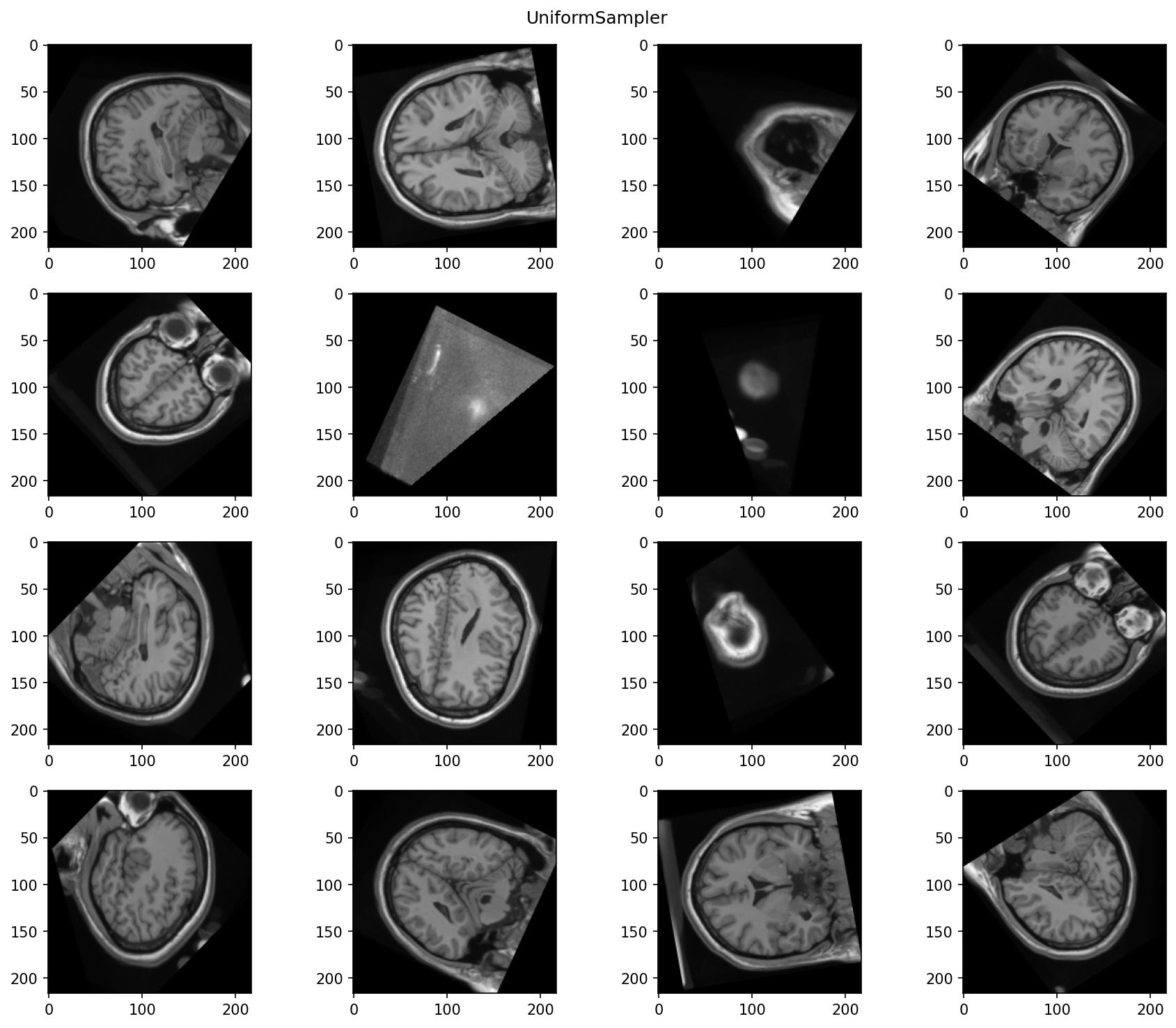
When a torchio.UniformSampler is used,
some of the patches don't contain much useful information:
Weighted sampler
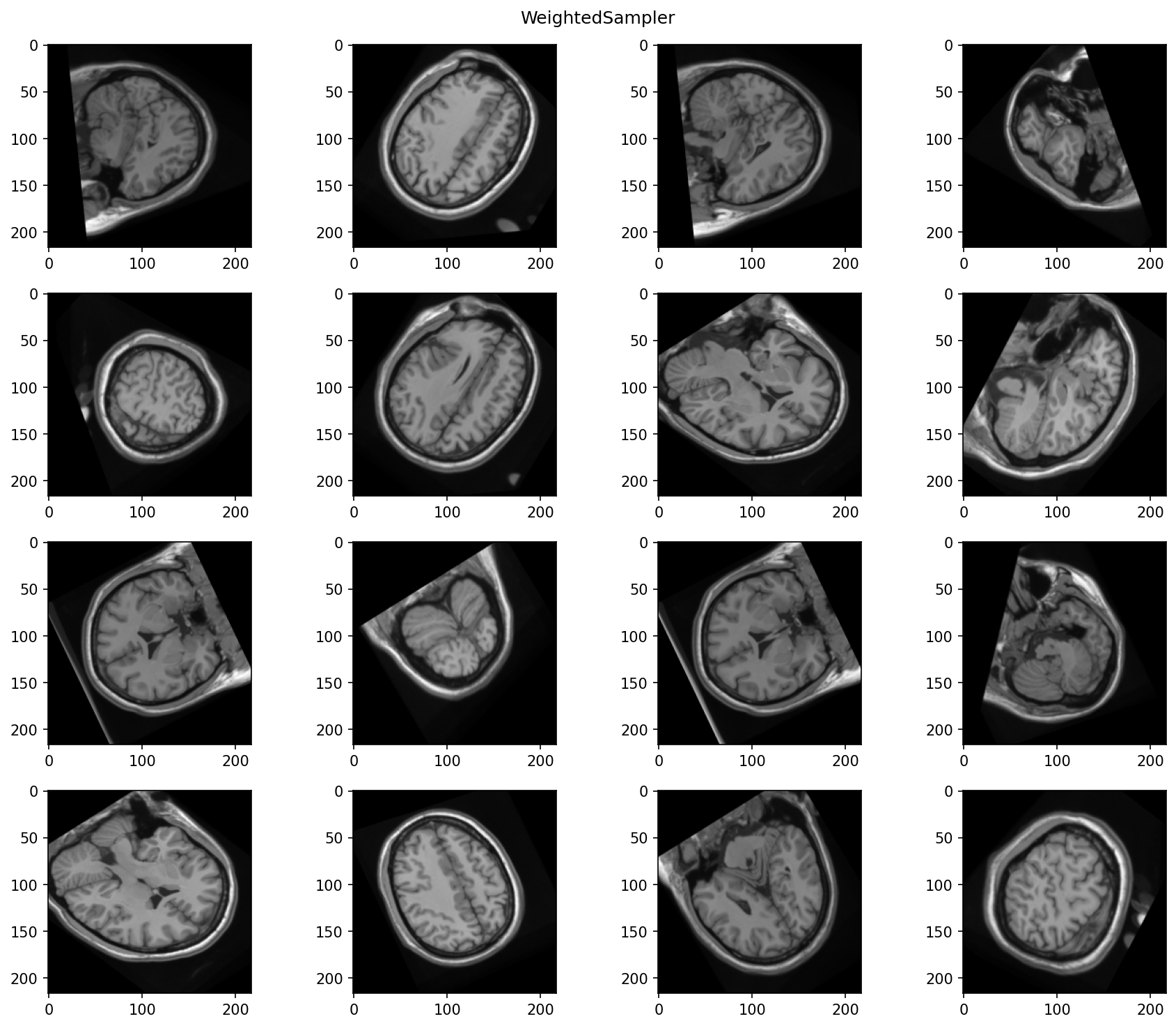
We can use the brain image contained in the subject as a probability map
for a torchio.WeightedSampler. That way, we ensure that the center
of all patches correspond to brain tissue.
:fontawesome-brands-github: View source on GitHub{ .md-button }