RandomAffineElasticDeformation
RandomAffineElasticDeformation
Bases: RandomTransform, SpatialTransform
Apply a RandomAffine and RandomElasticDeformation simultaneously.
Optimization to use only a single SimpleITK resampling. For additional details on
the transformations, see RandomAffine
and RandomElasticDeformation
Parameters:
| Name | Type | Description | Default |
|---|---|---|---|
affine_first
|
bool
|
Apply affine before elastic deformation. |
True
|
affine_kwargs
|
dict[str, Any] | None
|
See |
None
|
elastic_kwargs
|
dict[str, Any] | None
|
See |
None
|
**kwargs
|
See |
{}
|
Examples:
>>> import torchio as tio
>>> image = tio.datasets.Colin27().t1
>>> affine_kwargs = {'scales': (0.9, 1.2), 'degrees': 15}
>>> elastic_kwargs = {'max_displacement': (17, 12, 2)}
>>> transform = tio.RandomAffineElasticDeformation(
...     affine_kwargs,
...     elastic_kwargs
... )
>>> transformed = transform(image)
__call__(data)
Transform data and return a result of the same type.
Parameters:
| Name | Type | Description | Default |
|---|---|---|---|
data
|
InputType
|
Instance of |
required |
get_base_args()
Provides easy access to the arguments used to instantiate the base class
(Transform) of any transform.
This method is particularly useful when a new transform can be represented as a variant
of an existing transform (e.g. all random transforms), allowing for seamless instantiation
of the existing transform with the same arguments as the new transform during apply_transform.
Note
The p argument (probability of applying the transform) is excluded to avoid
multiplying the probability of both existing and new transform.
add_base_args(arguments, overwrite_on_existing=False)
Add the init args to existing arguments
validate_keys_sequence(keys, name)
staticmethod
Ensure that the input is not a string but a sequence of strings.
to_hydra_config()
Return a dictionary representation of the transform for Hydra instantiation.
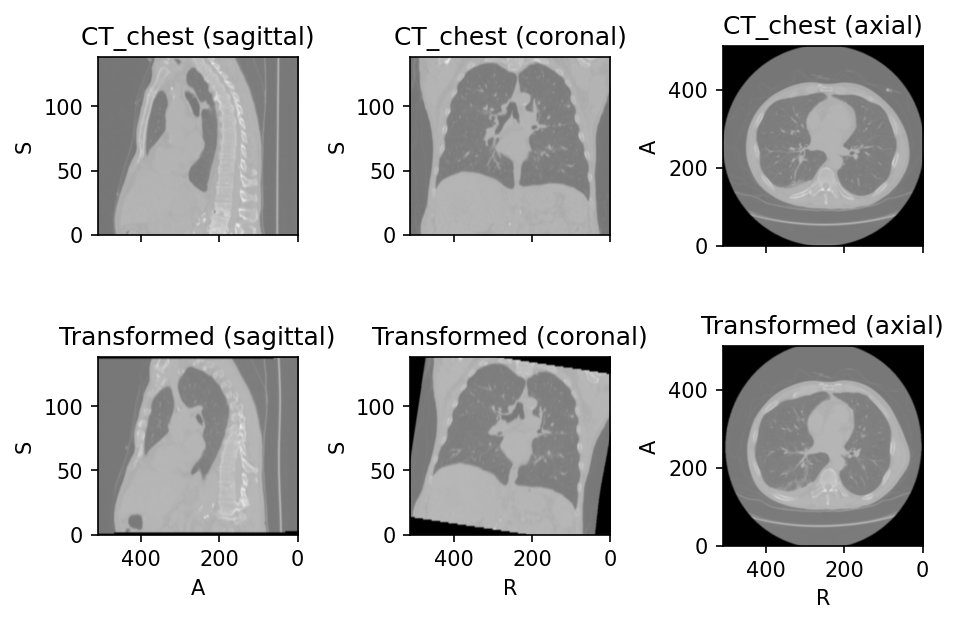
Source code
import torchio as tio
subject = tio.datasets.Slicer('CTChest')
ct = subject.CT_chest
elastic_kwargs = {'max_displacement': (17, 12, 2)}
transform = tio.RandomAffineElasticDeformation(elastic_kwargs=elastic_kwargs)
ct_transformed = transform(ct)
subject.add_image(ct_transformed, 'Transformed')
subject.plot()